
Instead of rewriting your résumé from scratch for every Workday posting, use a review-first workflow: capture the requirements, match them to verified experience, prepare a tailored résumé, and check the employer’s application before submitting it yourself. This 2026 guide separates résumé preparation from submission so you keep control of every claim and application.
- Workday resume tailoring means matching verified experience to a specific posting, not copying every keyword.
- AmazApply prepares tailored résumés and cover letters for individual job seekers to review and approve.
- Check the employer’s application fields after uploading; your document and entered history must agree.
- Keep your original résumé unchanged and review each tailored version before submitting it yourself.
Why this matters
A résumé can describe your experience accurately and still bury the evidence a particular employer needs. Workday resume tailoring brings relevant responsibilities, skills, and results into view without changing the underlying facts.
AmazApply is a job-search and application-preparation agent for individual job seekers who want to review and approve each application. AmazApply finds matching openings, tailors résumés and cover letters, and prepares applications for your review. That preparation does not replace checking the employer’s requirements or confirming the final application.
For your 2026 search, treat the workflow as a controlled handoff: the posting defines the request, your career history supplies the evidence, and you decide what leaves your hands. No tool can promise an interview or a job offer.
Before you start
- Gather the source material: the complete job description, employer name, job title, posting link, and requisition identifier if shown. Keep your original résumé and supporting career notes available.
- Confirm access: use your résumé editor, an application-preparation account if you choose one, and access to the employer’s candidate application. Follow the employer’s stated document requirements.
- Pre-empt the upload problem: a résumé upload is not proof that every application field is correct. Employer application forms differ; reserve time to inspect any extracted employment, education, and contact information before submission.
Keep 2 résumé files: an unchanged master and a role-specific working copy. This gives you a stable reference when wording changes and prevents an application-specific edit from silently becoming your permanent career record.
Choose your preparation route
Both routes below lead to the same decision point: you review the document and the employer’s application. Neither route makes an unsupported qualification acceptable.
| Preparation route | Best for | Advantage | Limitation |
|---|---|---|---|
| Manual tailoring | Job seekers who want direct control over every edit | You choose the wording and placement of each change | You must compare the posting and résumé yourself |
| AmazApply-assisted preparation | Job seekers who want draft preparation with personal approval | The agent prepares tailored résumés, cover letters, and applications for review | You still need to verify claims, fit, and the final application |
Choose preparation assistance for drafting, not for deciding whether a statement about your experience is true. The steps below work with either route and do not require a direct Workday connection.
Posting evidence
Start with 1 job posting per working copy. Combining several descriptions before drafting makes it harder to see which requirements belong to the application you are preparing.
- Open the employer’s posting and save its complete text in a working document. Include qualifications, responsibilities, location conditions, and application instructions—not just the summary.
- Record the employer, role title, requisition identifier if present, and the date you captured the description. Keep the posting link alongside the notes for your own reference.
- Divide the requirements into required qualifications, preferred qualifications, and responsibilities. Preserve distinctions such as required versus preferred rather than treating every phrase as equally important.
- Beside each relevant requirement, write the experience that supports it. Use a project, responsibility, credential, or result you can explain. Mark unsupported requirements as gaps rather than filling them with plausible wording.
- Check conditions that determine whether you should apply, including location, work authorization questions, credentials, and any stated schedule requirements.
Expected result: you have a posting-specific evidence map showing what you can support, what needs clarification, and what you do not meet. You have not yet changed your résumé.
A useful evidence note contains the requirement, the supporting experience, and its source. The source can be your master résumé, project notes, or a credential record. If you cannot identify a source, leave the claim out until you can verify it.
Tailored draft
The drafting goal is relevance, not a new professional identity. Use the employer’s terminology when it accurately describes your work; retain your actual titles, employers, dates, and qualifications.
- Duplicate the master résumé and name the working file so you can distinguish the employer and role. Keep the original separate from the application draft.
- Rewrite the opening summary around supported qualifications relevant to this posting. Remove broad claims that do not help the reader assess your fit.
- Move relevant skills into a visible position. Include a named tool, method, or credential only when you actually have the experience or qualification it describes.
- Reorder bullets within each role to put relevant evidence first. Keep the connection between each accomplishment and its correct employer, position, and timeframe.
- Tighten vague bullets by naming the work and its purpose. Add results only when you have evidence; do not invent percentages, team sizes, budgets, or delivery improvements.
- If using AmazApply for résumé tailoring, review the prepared draft against the evidence map before accepting its wording. Treat a polished but unsupported sentence as an error, not an improvement.
Expected result: the résumé makes your relevant experience easier to find while preserving your actual history. Every added claim has a source you recognize.
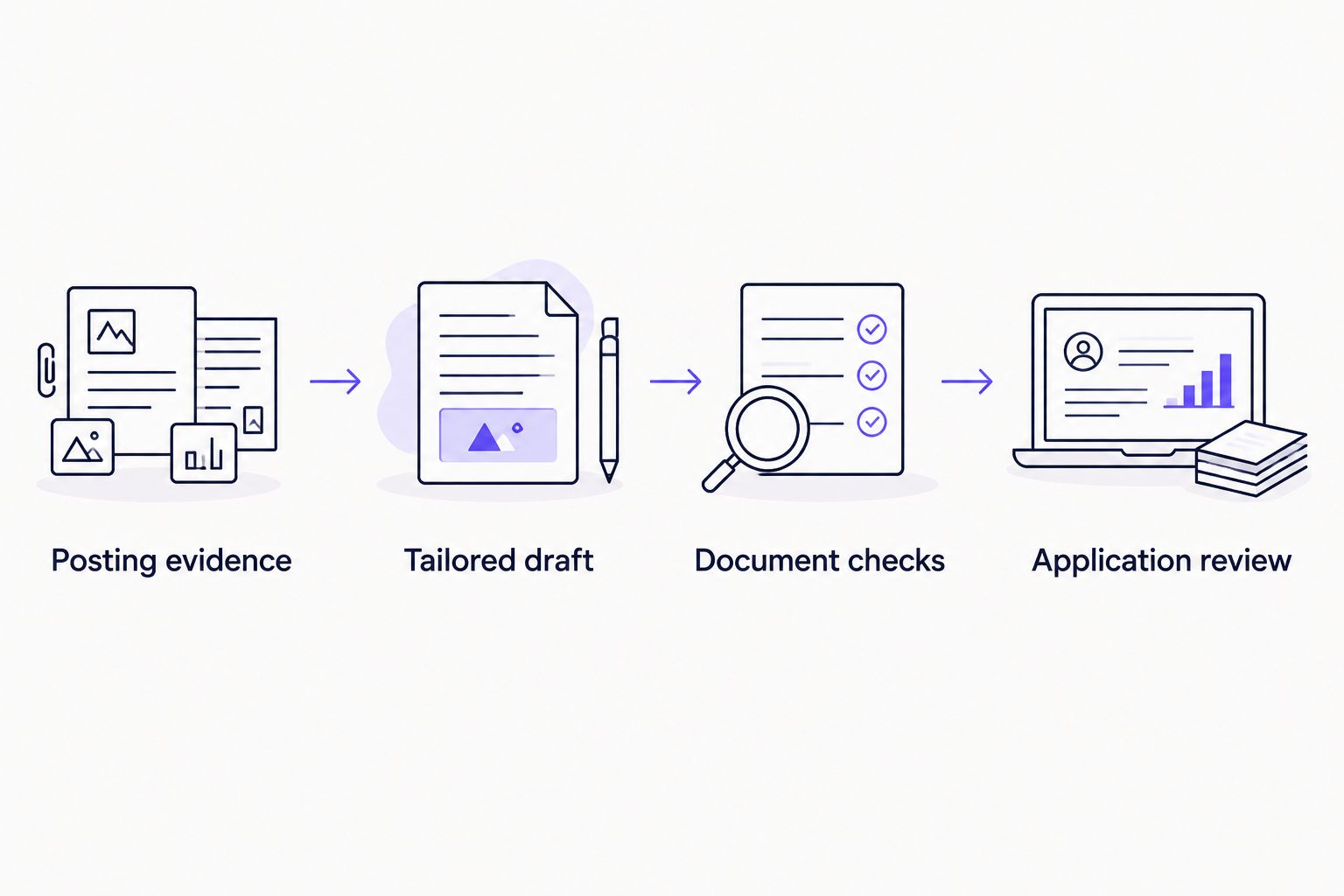
Use the sequence below as a review boundary, not as a claim that software performs every step automatically. Preparation ends with your decision about what is accurate enough to use.
Document checks
Run 3 checks before uploading: factual accuracy, readable structure, and compliance with the employer’s instructions. A document that passes a generic checker still needs this review.
- Compare the tailored version with your master résumé. Inspect titles, dates, qualifications, employer names, and any numbers. Confirm that rewriting has not enlarged your responsibilities or changed the meaning of a result.
- Read the document as a recruiter would. Use recognizable section headings, consistent dates, and text that makes sense without decorative positioning or graphics.
- Follow the posting’s stated file requirements. Do not assume that a file type accepted by another employer is accepted by this application.
- Inspect the exported file, not just the editor view. Confirm that text is visible, sections remain in order, and page breaks do not separate headings from their content.
- Select and copy text from the exported document into a plain-text editor as a basic extraction check. Review the reading order, missing characters, and contact details. This checks text accessibility; it does not certify compatibility with every application parser.
Expected result: you have a readable, verified application document in a format the employer accepts. You also know which details need close attention after upload.
For a 2026 application, the employer’s current instructions take precedence over a generic formatting rule. Do not add hidden keywords, copy the entire posting into the document, or claim skills solely to match a checklist.
Application review
Workday application layouts and wording depend on the employer’s configuration. Follow the labels displayed in that application; the instructions below describe actions rather than inventing a universal button sequence.
- Open the application from the employer’s posting and confirm the employer, role, and requisition identifier where shown. Use the résumé prepared for that role.
- Upload the accepted document through the application’s résumé-upload control. If the employer offers manual entry instead, transfer the information carefully from the verified draft.
- Inspect any populated contact, employment, education, and skills fields. Correct missing entries, shifted dates, split employer names, or text placed in the wrong field.
- Answer screening questions yourself. A résumé draft cannot decide your work authorization, credential status, willingness to relocate, or other personal declarations.
- Review any requested cover letter and supporting documents for consistency. The employer name, role title, and experience claims must agree across the application.
- Read the final review screen, if provided, before taking the application’s submission action. Record the outcome shown by the employer rather than assuming that an upload completed the application.
Expected result: the application contains information you have checked, and you know whether you submitted it or left it incomplete. Keep any confirmation supplied by the employer with your application record.
The final review is a separate task from résumé approval. You can approve accurate wording in a document and still need to correct how that wording appears in the form.
When the posting changes
A revised posting needs a comparison, not an automatic full rewrite. In your 2026 application record, preserve the description used for the original draft so you can identify what changed.
- Save the revised description separately from the earlier copy.
- Compare responsibilities, required qualifications, location conditions, and application instructions.
- Update the evidence map only where the new wording changes the request.
- Revise the résumé where your verified experience addresses that change.
- Repeat document and application review before submitting a new or revised application, where the employer permits it.
Expected result: the draft reflects the current posting without losing the factual checks applied to the earlier version.
If you already submitted, follow the employer’s available process for updates. Do not assume that replacing a document in a candidate profile changes an application already sent to a hiring team.
Troubleshooting
The upload scrambles employment history
Correct the application fields directly where editing is available. Then inspect the résumé’s structure for ambiguous dates, multiple columns, or text whose meaning depends on its visual position. A simpler layout is a sensible revision; it is not a guarantee of perfect extraction.
The draft includes skills you cannot defend
Remove the unsupported wording and return to the evidence map. If you have related experience, describe that accurately instead of adopting the posting’s exact phrase. A requirement remains a gap until your experience supports it.
The résumé and application disagree
Compare both with your original records. Correct the wrong version rather than automatically treating either the upload or the form as authoritative. Pay particular attention to employment dates and qualifications.
The file is rejected
Check the employer’s displayed file requirements and the document’s actual format. Export a compliant copy from your editor rather than changing the filename extension. Reopen that copy before trying again.
The application has no confirmation
Check the application’s displayed status and any confirmation message supplied by the employer. Do not equate a saved draft with a submitted application. Record uncertainty as unresolved until you can verify the outcome.
Customize your workflow
Add a cover letter only when requested or when it adds relevant context. Use the same evidence map so the letter does not introduce achievements, motivations, or qualifications you have not confirmed.
Keep an application record with the posting reference, résumé filename, submission date, and outcome shown by the employer. This can be a document or spreadsheet; the important part is knowing which version went with which application.
For a repeatable 2026 routine, finish one complete application review before expanding the process to more roles. A larger queue does not remove the need for individual approval.
FAQ
What is Workday resume tailoring?
Workday resume tailoring means adapting your résumé to a specific employer’s posting while keeping your experience accurate. Prioritize supported qualifications and relevant evidence, then check the information entered into the application.
Can AmazApply prepare a résumé for a Workday job posting?
AmazApply tailors résumés and prepares applications for individual job seekers to review and approve. Use the posting requirements to guide preparation, then check the employer’s application yourself; this workflow does not require a direct Workday integration.
Should I copy every keyword from the job description?
No. Include terminology only when it accurately describes your experience, skills, or credentials. Copying unsupported keywords creates claims you cannot substantiate.
Is a PDF always the best résumé format for Workday?
No single file format overrides the employer’s instructions. Use an accepted format, inspect the exported document, and verify any fields populated after upload.
Do I need to check the application after uploading my résumé?
Yes. Check contact details, employment, education, skills, and screening answers before submission. Uploading a correct document does not establish that every application field is correct.
Can résumé tailoring guarantee an interview?
No tool can promise an interview or job offer. Tailoring helps present relevant, verified experience; the employer still decides whom to progress.
What should I do if a posting changes after I tailor my résumé?
Compare the revised posting with the saved original and update only the affected parts of your evidence map and draft. Repeat the accuracy checks before submitting any permitted revision.
One last thing
Keep the submitted version, not just your newest résumé. When an interviewer asks about an application, you need the exact wording they received—not a later draft prepared for another employer.