
Instead of manually rewriting your résumé for every opening, build a workflow that turns a new job match into an evidence-based draft, then stops for your review. AmazApply finds matching openings and prepares tailored application materials; you approve every application yourself.
- AmazApply suits individual job seekers who want tailored application drafts with personal approval.
- To automatically tailor resume for new job match workflows, separate matching, factual drafting, and approval.
- Keep one verified master résumé; change emphasis without inventing skills, qualifications, or results.
- Treat résumé tailoring and application submission as separate actions.
Why this matters
A job description tells you what an employer wants. Your résumé must show which of those requirements your experience actually supports. Repeating the employer’s wording without evidence does not close a qualification gap.
For your 2026 job search, automate the preparation work, not the decision about what represents you. AmazApply is best for individual job seekers who want tailored application drafts with personal approval. Its job-search agent prepares materials, but you remain responsible for their accuracy and whether an application should proceed.
The workflow below defines the inputs, decision rules, and review checks for that process. It separates the desired behavior from any particular connector or interface, so you can use the same checks when reviewing agent-prepared drafts or managing the sequence yourself.
Before you start
- Prepare 1 master résumé and a supporting evidence file. Include accurate employment dates, actual job titles, qualifications, projects, and results you can explain. Keep private employer information out of the evidence file.
- Define your job-search boundaries. Record the role families, locations, working arrangements, and requirements you accept. Have access to the full job description, not just a search-result summary.
- Separate drafting permission from submission permission. A matching opening is not permission to apply. A generated draft can also contain unsupported wording, so require factual review before application approval.
The non-obvious problem is source contamination: an inaccurate statement in your master résumé can spread into every tailored version. Correct the source before you ask any system to reuse it.
Configuration unit: Verified résumé source
Establish the facts before tailoring
- Gather your current résumé and supporting notes. Choose the version that most accurately represents your experience, rather than whichever version has the strongest language.
- Separate facts from positioning. Employers, dates, degrees, certifications, and actual responsibilities are facts. Your summary, bullet order, and choice of relevant examples are positioning.
- Create an evidence entry for each achievement you want to reuse. Record what you did, the context, the outcome, and any figure you can substantiate. Leave out a figure when you cannot verify it.
- Mark boundaries explicitly. Distinguish work you owned from work you supported, tools you used from tools you only encountered, and completed qualifications from training in progress.
- Keep the master separate from each job-specific draft. A tailored version should not silently become the source for unrelated applications.
Expected result: you have a factual source that supports different presentations without changing your employment history.
For example, coordinating a project does not establish that you managed its budget. If a job description emphasizes budget ownership, the workflow should flag the gap instead of rewriting coordination as financial responsibility.
AmazApply’s résumé tailoring should be evaluated against this source. The useful outcome is clearer relevance, not a more impressive claim than your experience supports.
Configuration unit: New-match rules
Decide which openings deserve a draft
- Define a new match as an opening you have not already reviewed for the same employer and role. Keep enough identifying information to recognize a repost or duplicate.
- Read the full description before tailoring. Check the responsibilities, location, working arrangement, and required qualifications against your search boundaries.
- Separate hard requirements from preferences. A mandatory license needs different treatment from a preferred tool. Do not present either as something you possess unless your evidence supports it.
- Record why the opening belongs in your review queue. Use a short explanation grounded in your experience, such as relevant responsibilities or a directly related project.
- Reject unsuitable openings before drafting. If a requirement conflicts with your boundaries, creating a more polished résumé does not resolve that conflict.
Expected result: each opening entering the drafting stage has a clear reason to be there.
For a 2026 search, keep these rules attached to your current goals. If you change your target role, revise the selection rules before generating more documents. Otherwise, the process can keep producing accurate résumés for jobs you no longer want.
Treat a match as an invitation to assess fit—not a verdict that you qualify. The employer’s requirements and your verified evidence still control the decision.
Configuration unit: Tailored résumé draft
Turn requirements into supported emphasis
- Extract the opening’s central responsibilities and required skills. Keep their context intact; a keyword separated from its responsibility can misrepresent what the employer needs.
- Map each relevant requirement to evidence in your master résumé. Distinguish direct experience, transferable experience, and requirements with no supporting evidence.
- Draft the summary around the strongest supported overlap. Avoid introducing a new professional identity that your work history cannot explain.
- Reorder relevant bullets and refine their wording. Use the employer’s terminology when it accurately describes your work, without adding ownership, seniority, tools, or outcomes.
- Preserve stable facts. Keep employment dates, actual titles, qualifications, and verified figures consistent with the master.
- Save a job-specific draft with a descriptive filename. Include the employer and role so you can distinguish it from other applications.
Expected result: the draft makes relevant experience easier to find while leaving your factual record intact.
Change emphasis, not evidence. If you supported customer onboarding and the opening emphasizes implementation, describe the implementation work you actually performed. Do not turn participation into ownership or customer contact into account management without supporting experience.
For a closer look at drafting approaches, use the guide to résumé-tailoring tools. Keep the same factual standard regardless of which approach you choose.
Configuration unit: Review and approval
Keep the approval boundary visible
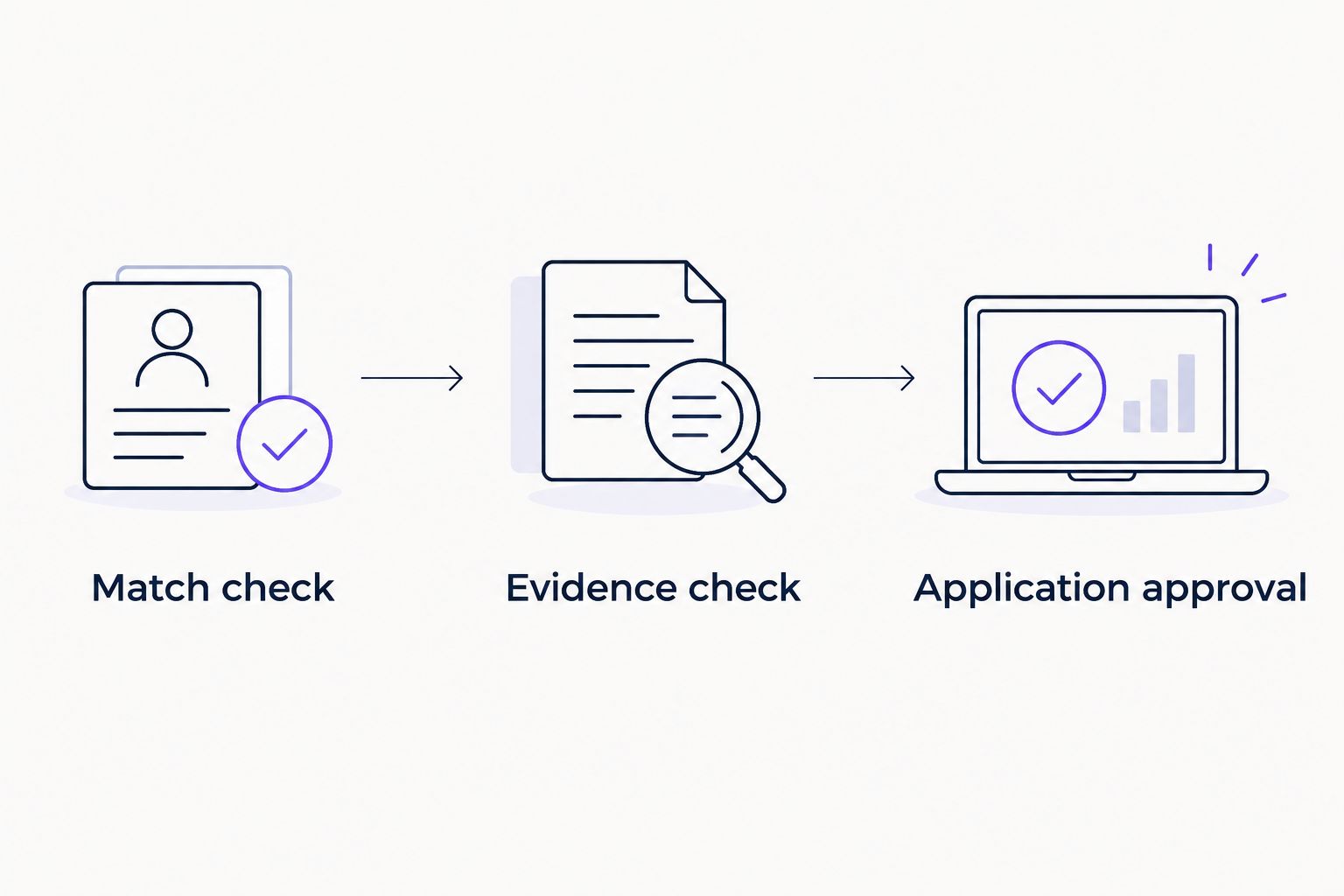
- Apply the Match check: confirm that the opening still fits your role, location, and qualification boundaries.
- Apply the Evidence check: compare changed statements against the master résumé. Pay particular attention to verbs, implied authority, named tools, and numerical results.
- Apply the Application approval gate: inspect the résumé and any accompanying materials together before deciding whether to proceed.
- Retain the reviewed version separately from unfinished drafts. Record the employer, role, document version, and your decision in your application record.
Expected result: you can identify what you reviewed, which version you approved, and which opening it belongs to.
These 3 gates serve different purposes. Match check prevents effort on unsuitable openings; Evidence check prevents inaccurate claims; Application approval preserves your decision about whether the complete application represents you.
For your 2026 review routine, assess the actual document—not just a summary of changes. Read the exported résumé to catch missing content, broken formatting, or a version intended for another employer.
AmazApply prepares applications for review and approval. Do not treat preparation, approval, and confirmed submission as interchangeable statuses. No tool can promise an interview or hiring outcome.
Second workflow: Revise when the job description changes
An updated opening needs a different trigger from a new opening. Recheck the changed requirements before revising an existing résumé, rather than treating every update as a reason to generate another application.
| Workflow | Best for | Advantage | Limitation |
|---|---|---|---|
| New-match drafting | An opening you have not reviewed | Creates a fresh relevance assessment | Duplicate postings need to be screened out |
| Description-change revision | An existing opening with changed requirements | Focuses review on the changed requirements | The earlier approval no longer covers the revised document |
- Compare the updated description with the version used for your draft. Identify changed duties, qualifications, location requirements, or application instructions.
- Decide whether the change affects fit. A wording edit does not necessarily require a new résumé; a changed mandatory qualification deserves a fresh decision.
- Revise only the affected résumé sections using your verified source. Do not rebuild unrelated sections simply because the description changed.
- Review the revised document again. Keep 2 drafts—the previously reviewed version and the revision—until you have checked the differences.
Expected result: a changed opening produces a deliberate reassessment, not an unnoticed replacement of an approved document.
Use the same process when your own evidence changes during 2026. A newly completed qualification belongs in the master first, then in relevant drafts. Do not add it separately to scattered versions and leave the source outdated.
Troubleshooting
The draft contains a skill you do not have
Remove the claim and check which source introduced it. If the wording came from the job description rather than your experience, classify that requirement as unsupported. Recheck the summary and skills section for related claims before approving the document.
Every tailored résumé sounds the same
Check whether your source contains specific examples or only general responsibilities. Add accurate context about the work you performed, then select examples relevant to the opening. Repeatedly substituting keywords cannot create missing evidence.
The workflow keeps revisiting the same opening
Compare the employer, role, location, and posting reference in your application record. Treat a repost as an existing opening unless its requirements or your decision have materially changed. Resolve the duplicate before preparing another application.
The draft changes your title or level of responsibility
Restore your actual title and rewrite the affected bullets around your real contribution. Distinguish led, supported, coordinated, and contributed; those verbs communicate different responsibilities. A target role does not justify rewriting your previous role.
The document was approved, but its status is unclear
Keep approval and submission records separate. Approval means you accepted the materials; a submission record requires confirmation that the application was sent. Do not mark an application submitted solely because its résumé is complete.
Customize your workflow
Expand only after the résumé review process works consistently. Add cover-letter preparation using the same evidence source, then check that both documents describe your responsibilities and achievements consistently.
For career changes, prioritize transferable evidence rather than borrowing the target role’s title. For specialized applications, preserve technical context instead of replacing precise work with generic language. Different readers need different emphasis, but the underlying facts remain the same.
Keep your 2026 application record focused on decisions: why the role fits, what changed in the résumé, and which document you approved. A larger collection of drafts is not a substitute for clear version control.
FAQ
How do I automatically tailor a résumé when a new job match appears?
Connect the workflow conceptually as new match, fit assessment, evidence-based draft, and personal approval. Use a verified master résumé as the source, and reject unsupported claims before accepting the tailored version.
Does AmazApply tailor résumés and cover letters?
AmazApply tailors résumés and cover letters and prepares applications for individual job seekers to review and approve. Review the complete materials against your actual experience before approving an application.
Does a tailored résumé mean my application was submitted?
No. A tailored résumé is a prepared document, not proof of submission. Keep document preparation, personal approval, and confirmed submission as separate statuses.
Should I include every keyword from the job description?
No. Include terminology only when it accurately describes your experience or qualifications. A missing requirement should remain a gap rather than become an unsupported résumé claim.
What should I do if the job description changes?
Compare the changed requirements with your evidence and reassess the role before revising the résumé. Review any revised document again because your earlier approval covered a different version.
Can résumé tailoring guarantee an interview?
No tool can promise an interview or hiring outcome. Tailoring helps present relevant experience clearly, but it does not establish qualifications you lack or control an employer’s decision.
How do I stop inaccurate claims from appearing in multiple drafts?
Correct the master résumé and supporting evidence before generating more versions. Then inspect existing drafts that reused the inaccurate statement, rather than correcting only the latest document.
One last thing
The most consequential change can be a verb, not a keyword. Replacing supported with led can alter the responsibility you claim even when every employer, date, and tool remains correct. During your final review, read the action verbs before polishing the wording.