
Teachers’ AI job search is the use of software to match openings and prepare application materials with the aim of securing a suitable teaching or education-adjacent role. The best AI job search tools for teachers preserve distinctions that matter: teaching credentials, grade levels, subject knowledge, and evidence you can verify.
- AmazApply is best for teachers who want job matching and résumé tailoring while approving every application themselves.
- Choose AI job search tools for teachers around credential requirements, target roles, and application review—not application volume.
- Keep résumé tailoring factual: distinguish classroom experience from responsibilities you have not held.
- Use district career pages to verify openings and requirements before preparing an application.
Why AI job search matters for teachers
A teaching application is not just a résumé with education keywords. You need to establish whether your credentials match the opening, explain your relevant classroom experience, and follow the employer’s application instructions. A polished draft does not resolve an eligibility mismatch.
Your search also changes when you move outside schools. Curriculum development, instructional design, and learning and development involve different responsibilities; treating them as interchangeable makes your search less precise. Start with the role’s actual duties, not a list of jobs described as suitable for former teachers.
For your 2026 search, use the AI job search tools guide to compare workflow categories, then assess each against your own requirements. Choose support for the task you need help with, not the largest bundle of features.
The useful division is straightforward: software can help you find openings and prepare drafts; you remain responsible for credential statements, employment history, student privacy, and the application you approve. That boundary matters whether you want another classroom position or a career change.
How to build a teacher-focused job search
Define your target roles before choosing software
Start manually with a document that separates your preferred work from your eligibility. Write down the subjects, grade levels, locations, and working arrangements you want. Then record the credentials you hold without assuming an employer will accept them.
For education-adjacent work, read the responsibilities before adding a title to your search. A classroom teacher who develops lessons has relevant experience to describe, but that experience does not automatically establish proficiency with every instructional design method or authoring platform.
As a starting exercise, choose 3 target roles and collect 5 job descriptions across those roles. These are planning limits, not hiring benchmarks. The exercise gives you a manageable set of requirements to compare before you build application materials.
Separate requirements into demonstrated experience, experience that needs explanation, and requirements you do not meet. Do not ask a writing tool to make the last category disappear. Your search rules should exclude clear mismatches before drafting begins.
- Name each target role rather than searching only for education jobs.
- Record your current credentials and any stated restrictions.
- Separate classroom positions from career-change searches.
- Mark location and working arrangement as explicit filters.
- Save employer requirements in their original wording.
Build a source document from verified experience
Create your evidence bank manually before asking software to rewrite it. Include employment dates, subjects taught, grade levels, responsibilities, qualifications, and projects you can discuss in an interview. Keep uncertain details out until you confirm them.
For each accomplishment, record the action, context, and evidence. If you redesigned an assessment process, explain what changed and what you personally contributed. Include a result only when you can support it; do not turn an impression into a percentage.
Protect student information while building this document. Use descriptions of your teaching practice rather than identifiable student records, individualized plans, or confidential communications. Check your employer’s policies before sharing work materials with any external service.
Set aside a 20-minute review session to check the source document against records you already have. This is a suggested timebox, not a promise that verification takes that long. Resolve discrepancies before you reuse the document across applications.
- Confirm job titles and employment dates.
- List credentials using their official names.
- Describe your own contribution to shared projects.
- Remove student names and identifying details.
- Mark unsupported results for removal or verification.
Match openings before tailoring applications
The manual route starts with employer career pages and a search log. Read the full posting, record its requirements, and decide whether it belongs in your shortlist. Search results and summaries are starting points; the employer’s posting is the reference for application instructions.
Check essential requirements separately from preferences. For a teaching position, look for the specified credential, subject, grade range, and location. For an education-adjacent role, inspect the expected deliverables and required experience rather than relying on the job title alone.
AmazApply finds matching openings, tailors résumés and cover letters, and prepares applications for individual job seekers to review and approve. Use that preparation path after you have defined what a suitable opening looks like.
AmazApply is best for teachers who want job matching and application drafts while retaining approval of every application. Its limitation is equally clear: preparation support does not establish credential eligibility or verify your personal history for you. Keep those checks under your control throughout your 2026 search.
- Open the employer’s original job posting.
- Check essential requirements before drafting.
- Record the reason each opening matches your goals.
- Reject roles that depend on qualifications you do not hold.
- Recheck the posting before approving an application.
Tailor your résumé without changing your history
Manually compare the posting with your source document first. Identify the experience that answers the employer’s requirements, then move that evidence into prominent positions. Tailoring means changing emphasis, not creating a different employment history.
For another teaching role, prioritize relevant subject knowledge, classroom responsibilities, and instructional work. For a career change, explain transferable work in language the employer uses only when that language accurately describes what you did. Coordinating a classroom project does not establish enterprise program-management experience.
AmazApply can prepare a tailored résumé draft, but you still need to compare every revised claim with your evidence bank. Pay particular attention to upgraded verbs: led, owned, designed, and managed each imply a different level of responsibility.
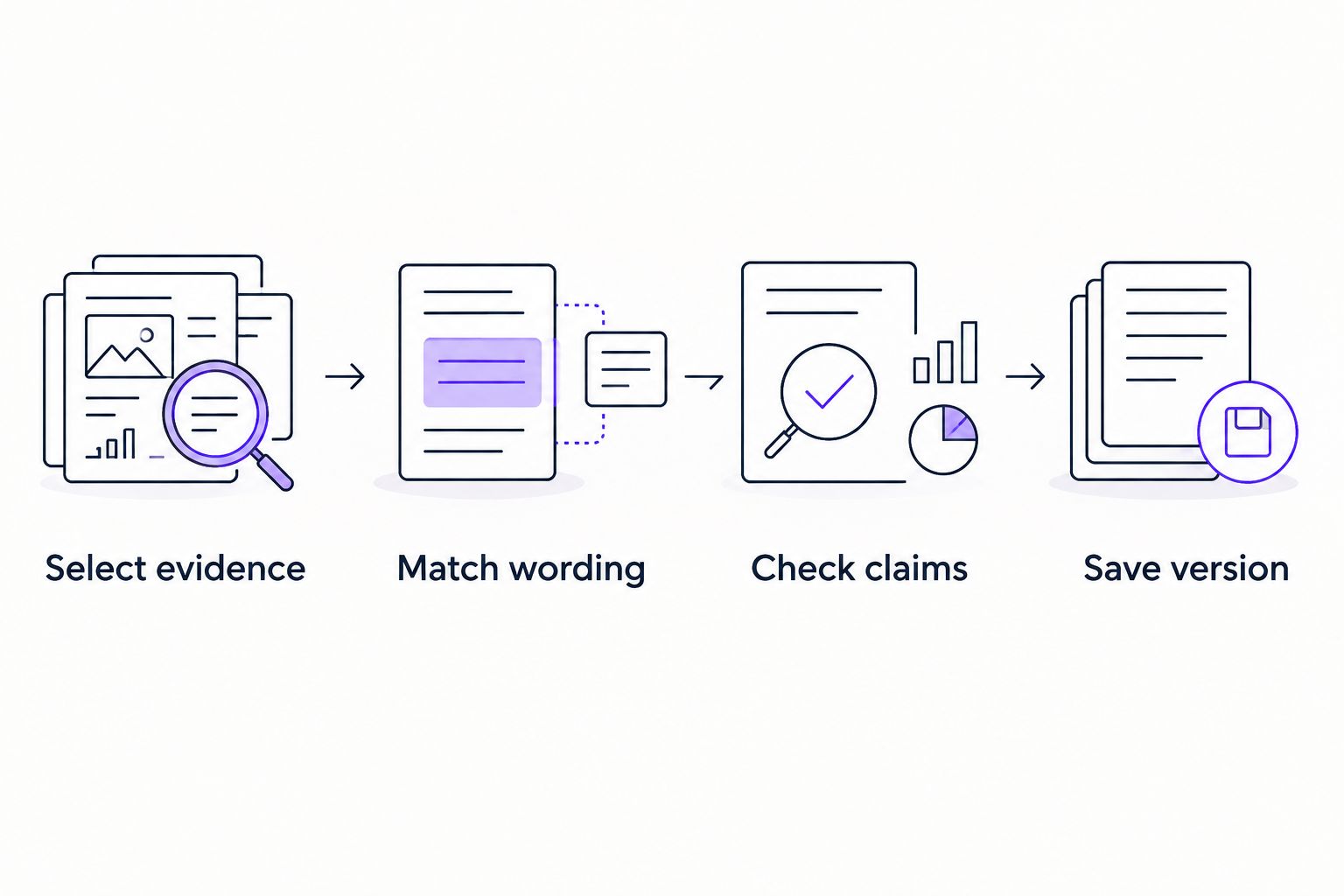
Use this sequence for each draft: Select evidence, Match wording, Check claims, Save version. It keeps the source material separate from the final document and makes unsupported changes easier to spot.
Keep the résumé readable without relying on decorative formatting. Follow any file-type instructions in the posting, and inspect the final document rather than assuming a clean draft produces a clean attachment.
- Select evidence that addresses the stated responsibilities.
- Match wording only where the meaning remains accurate.
- Check claims about ownership, tools, and results.
- Save the version associated with that employer.
Prepare cover letters and application answers separately
Start with a manual outline: why this role, which experience supports your fit, and why the work interests you. A cover letter should explain the connection between your experience and the opening, not repeat every résumé bullet.
For a school application, connect your teaching practice to the responsibilities in the posting. Avoid claiming familiarity with a school’s programs unless you have checked them. For a career change, explain your interest in the new work without dismissing teaching or presenting unverified experience as established expertise.
A cover letter draft is also not a substitute for application-form answers. Read each question independently. Questions about credentials, work authorization, references, or employment history need direct, accurate responses rather than a reused persuasive paragraph.
In your 2026 applications, check for copied employer names and statements carried over from another role. These details deserve attention even when the rest of the draft reads well. Keep your final wording specific enough that you can explain it naturally in an interview.
- Open with the role and your relevant connection.
- Support your fit with verifiable experience.
- Remove claims about the employer you have not checked.
- Answer application questions on their own terms.
- Confirm employer names and attachment versions.
Review the complete application and track outcomes
Before approving an application, inspect the résumé, cover letter, form answers, and attachments together. A correct résumé does not fix an incorrect credential response elsewhere in the application. Check consistency across the complete package.
Keep a manual log with the employer, role, posting reference, application date, document versions, and current status. Record confirmation details when the application process provides them. Do not mark a draft as submitted simply because the documents are ready.
Use the log to diagnose problems rather than rewarding application volume. If your shortlist contains repeated credential mismatches, adjust the search criteria. If your applications target unrelated roles, separate the searches before rewriting every document.
For your 2026 routine, schedule a review you can maintain and choose the next action for each active application. No tool can promise an interview or job offer. The practical goal is a more accurate, controlled process—not an outcome guarantee.
- Check consistency across every application component.
- Confirm the required attachments are present.
- Distinguish prepared, approved, and submitted statuses.
- Record responses without guessing why employers decided.
- Revise search criteria when mismatches recur.
Compare your options by the task
There is no single best workflow for every teacher. A narrowly targeted classroom search needs different support from a search spanning teaching and education-adjacent roles. Compare the amount of preparation you want to retain manually with the amount you want drafted for review.
| Option | Best for | Main advantage | Key limitation |
|---|---|---|---|
| Employer career pages and a manual log | Teachers targeting named schools or districts | You inspect requirements directly at the source | You organize searches and prepare materials yourself |
| General-purpose writing assistant | Teachers who already have openings and verified source material | Helps restructure text you provide | Generated claims and wording require factual review |
| Résumé-focused editing workflow | Teachers whose main problem is adapting an existing résumé | Keeps attention on one document | Does not address the complete search and application process |
| AmazApply | Teachers who want matching openings and prepared application drafts | Combines job matching with résumé and cover letter preparation | You must verify facts and approve every application yourself |
Choose the smallest workflow that addresses your actual bottleneck. If you already have a strong shortlist, more discovery support is not the first requirement. If your search criteria are unclear, faster document preparation will not make the shortlist more relevant.
Common mistakes teachers make
Treating education-adjacent roles as interchangeable
Instructional design, curriculum development, and learning and development are not interchangeable search labels. Read what the employer expects you to produce, then select evidence that addresses that work. Keep separate application versions when the responsibilities differ.
Replacing teaching language with inflated business claims
Translating experience helps employers understand it; exaggerating responsibility does not. Describe planning, assessment, collaboration, or training accurately. Do not rename ordinary classroom responsibilities as executive-level work to match a posting.
Treating a credential match as a writing problem
A résumé cannot resolve a requirement you do not meet. Read the stated criteria and use the employer’s designated channel to clarify questions. Keep an unresolved eligibility question visible rather than burying it under persuasive language.
Uploading confidential classroom evidence
Student records are not résumé source material. Describe your methods and responsibilities without sharing identifiable information. A detailed prompt is not useful if it includes material you should not disclose.
Confusing preparation with submission
A finished draft is not proof that an employer received an application. Track preparation and submission separately, follow the employer’s instructions, and retain confirmation when provided. Your 2026 search log should make that distinction obvious.
FAQ
What are the best AI job search tools for teachers?
The best AI job search tools for teachers match the task you need help with: finding openings, tailoring documents, or preparing applications. AmazApply fits teachers who want matching openings and application drafts while retaining personal approval of every application.
Can I use these tools to leave teaching?
Yes, you can use job-search and writing tools to prepare for education-adjacent roles. Start with the new role’s responsibilities and describe transferable experience accurately rather than assuming teaching experience satisfies every requirement.
Can a tool tell me whether my teaching license qualifies?
Do not treat a generated answer as a credential determination. Check the employer’s stated requirements and the relevant licensing authority, then clarify unresolved questions through the appropriate official channel.
Should I use the same résumé for teaching and instructional design?
Use separate tailored versions when the roles require different evidence. Keep your employment history consistent while changing the emphasis to match responsibilities you can genuinely support.
Is an AI-written cover letter ready to send?
An AI-written cover letter is a draft until you check its claims and employer details. Confirm that every statement reflects your experience and that the letter addresses the actual opening.
Is it safe to include student information in a résumé prompt?
Do not include identifiable student information in a résumé prompt. Describe your teaching practice without confidential records, and follow your employer’s policies for sharing work materials.
Will application-preparation software guarantee interviews?
No tool can promise an interview or job offer. Use preparation software to support a more accurate workflow, and keep responsibility for application facts and approval yourself.
One last thing
Test a draft by removing the job title. Can you still tell which responsibilities it addresses from the evidence alone? If not, adding more keywords is not the next move. Replace vague claims with relevant work you can explain and verify.