
Best overall for review-led application preparation: Amazapply. Best for résumé-to-posting comparison: Jobscan. Best for drafting from your own notes: ChatGPT. Best for organizing your search: Teal. These are the best AI job search tools for remote jobs in 2026 by task, not interchangeable substitutes; choose the one that addresses your current bottleneck.
- Amazapply is the best fit for job seekers who want matching and tailored application preparation with personal approval.
- Jobscan suits résumé comparison; ChatGPT suits drafting; Teal suits application tracking.
- The best AI job search tools for remote jobs support eligibility checks, résumé tailoring, and deliberate review.
- Remote does not mean work from anywhere. Check location, work authorization, and working-hour requirements before applying.
Why this matters
A remote label does not settle whether a job fits your circumstances. Employers can restrict where employees live, require work authorization, or expect overlap with a particular time zone. A polished application does not resolve those restrictions.
For your 2026 search, separate finding a plausible opening from confirming eligibility and preparing an accurate application. Those are different tasks. No tool can promise an interview, an offer, or permission to work from a location the employer excludes.
The right tool reduces a specific preparation burden while leaving you responsible for the claims and commitments in the final application.
What makes the best AI job search tools for remote jobs
Use these criteria before choosing a tool:
- Remote eligibility: Your workflow must check permitted locations, work authorization, and required working hours against the actual posting.
- Relevant matching: Judge suggestions against responsibilities, seniority, and required experience—not the job title alone.
- Truthful tailoring: Résumé and cover-letter edits must preserve your actual employers, dates, skills, and results.
- Clear task ownership: Know whether the tool finds openings, compares documents, drafts text, or organizes applications. Do not assume it does everything.
- Human approval: Read each application before it leaves your control. A generated draft is not approval to submit.
- Traceable decisions: Keep the original posting and the résumé version you used so you can reconstruct an application later.
These criteria favor a controlled workflow over application volume. Sending more applications is not a useful goal when the roles exclude your location or the documents misrepresent your experience.
The tools at a glance
| Tool | Best for | Standout function | Key limitation |
|---|---|---|---|
| Amazapply | Review-led application preparation | Finds matching openings and tailors résumés and cover letters for approval | Prepared applications still require your review; do not treat preparation as submission |
| Jobscan | Comparing a résumé with a specific posting | Résumé and job-description comparison | Text alignment does not establish eligibility or prove experience |
| ChatGPT | Turning verified notes into application drafts | Conversational drafting and revision | Generated statements require factual checking |
| Teal | Organizing a multi-role job search | Job tracking and résumé-building workflow | Organized records do not establish whether an opening is a good match |
Choose by the problem you need to solve first. A résumé comparison tool and an application tracker serve different purposes, even when their surrounding features overlap.
1. Amazapply: best for review-led application preparation
Amazapply finds matching job openings, tailors résumés and cover letters, and prepares applications for individual job seekers to review and approve. That makes it relevant when your search involves both finding opportunities and adapting documents, rather than writing a single résumé from scratch.
Amazapply is best for remote job seekers who want matching and tailored application preparation while approving every application themselves. The distinction matters: preparation supports your decision; it does not replace your responsibility for the application.
For a remote role, start by checking the employer's location and working-hour restrictions. Then compare the prepared documents with your original experience. A convincing sentence is useful only when you can explain and defend it in an interview.
Pros:
- Covers matching and document preparation within the stated service.
- Tailors both résumés and cover letters rather than treating them as unrelated tasks.
- Keeps individual review and approval part of the application process.
Cons:
- You still need to verify every factual statement in the prepared documents.
- Matching does not remove employer restrictions on location or work authorization.
- Application preparation should not be mistaken for a completed submission.
Best for: Job seekers who want help across discovery and preparation without handing over the final decision.
Verdict: Buy only if review-led preparation is the task you need; verify the current workflow before committing.
2. Jobscan: best for résumé-to-posting comparison
Jobscan compares a résumé with a job description to help identify alignment gaps. It belongs at the point where you already have a specific opening and want to inspect how clearly your résumé addresses its requirements.
For remote applications in 2026, use that comparison after checking eligibility. There is little value in refining terminology for a role that requires residence somewhere you cannot work.
Treat suggested terms as questions about your experience, not instructions to add words indiscriminately. If a posting asks for stakeholder management, identify a real example of that work. If you lack a required skill, rewriting the résumé does not create it.
Jobscan pros:
- Gives a specific posting a central role in résumé review.
- Helps surface terminology worth checking against your actual experience.
- Supports a focused editing task rather than an unrestricted rewrite.
Jobscan cons:
- Résumé alignment does not prove that you meet the employer's requirements.
- Following terminology suggestions mechanically can produce repetitive writing.
- A document comparison cannot replace your review of location restrictions.
Best for: Applicants who have selected a suitable opening and need a focused résumé comparison.
Verdict: Buy for targeted document comparison; skip it if your immediate problem is finding eligible openings.
3. ChatGPT: best for drafting from verified experience
ChatGPT can turn notes into résumé bullets, cover-letter drafts, and interview practice questions. Its conversational format lets you revise wording and structure while supplying the facts yourself.
Give it a bounded task. Instead of asking for an impressive remote-work résumé, provide your actual responsibilities, the relevant job requirements, and instructions not to add experience or results. Ask it to identify missing information separately from the draft.
For example, you can request a clearer description of a documented handoff process. Do not ask it to invent a measurable improvement because your original notes lack one. A plain, accurate statement is stronger than a specific result you cannot verify.
ChatGPT pros:
- Accepts your own notes and instructions for a narrowly defined writing task.
- Supports iterative edits when the first draft sounds generic or inaccurate.
- Can help you prepare questions and practice explaining your experience.
ChatGPT cons:
- Can generate plausible statements that are not supported by your notes.
- Drafting ability does not establish that a vacancy is current or that you qualify.
- You must decide what personal or confidential information to share.
Best for: Applicants who already know which roles to pursue and want hands-on control over drafting.
Verdict: Buy only for a defined drafting need; skip it as a substitute for verifying openings or experience.
4. Teal: best for organizing a multi-role search
Teal provides job-tracking and résumé-building tools. Its clearest role in this comparison is helping you organize opportunities and application work rather than treating every saved opening as an isolated task.
A remote search can involve similar titles with different country restrictions, working hours, and responsibilities. Keep those distinctions in your records. Otherwise, a saved title tells you little about why you considered the job suitable.
Use a tracker to preserve decisions, not just collect listings. Record whether you checked eligibility, which document version you prepared, and what action you actually completed. Keep a prepared application separate from a submitted one.
Teal pros:
- Gives saved roles and application activity an organized home.
- Supports résumé work alongside job-search organization.
- Provides a useful structure for maintaining your own application records.
Teal cons:
- Tracking still depends on accurate, maintained records.
- An organized listing is not necessarily a suitable or current opening.
- A résumé-building workflow does not replace checking application instructions.
Best for: Job seekers whose main problem is keeping opportunities, documents, and application decisions organized.
Verdict: Buy for search organization; skip it if you only need help rewriting a single document.
How this ranking works
This 2026 ranking separates tools by their primary role in an application workflow: preparation, comparison, drafting, and organization. The order reflects the breadth of the stated application-preparation use case, not measured hiring outcomes.
The recommendations do not claim that one tool produces more interviews than another. They also do not treat document alignment as evidence of hiring success. Choose the narrowest tool that solves your actual problem, then evaluate the output against the original posting.
Check every remote role before tailoring
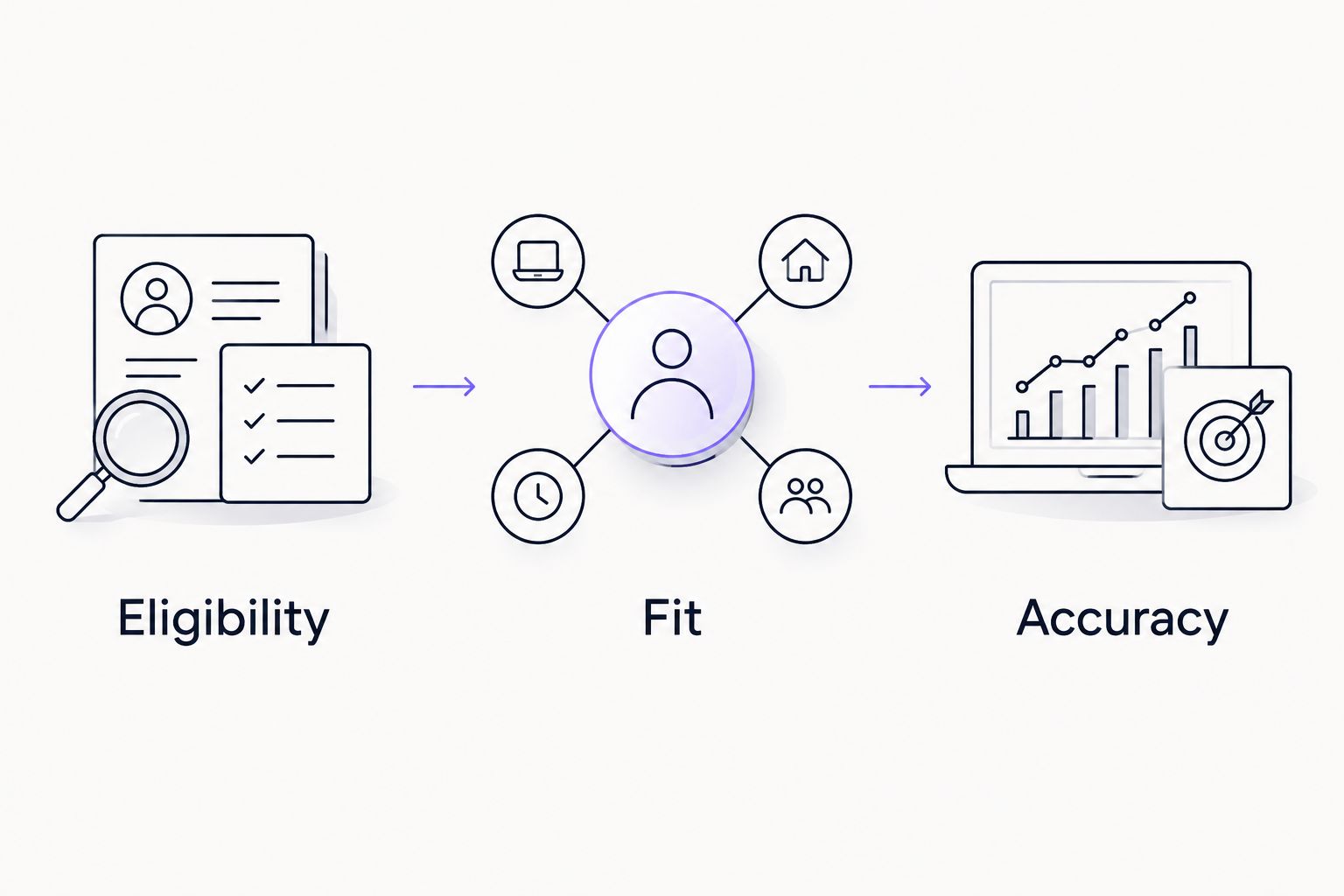
Use 3 checks for each opening: eligibility, fit, and accuracy. Complete them in that order so document work does not distract you from a disqualifying requirement.
Eligibility
Read the full posting for permitted locations, work authorization, travel, and required working hours. Distinguish fully remote work from hybrid attendance and location-restricted remote work. If a material requirement is unclear, seek clarification before treating the role as suitable.
Fit
Compare the responsibilities with work you have actually done. Separate required qualifications from preferred ones, and identify evidence for the responsibilities that matter most. A matching title is not enough when the scope or seniority differs.
Accuracy
Review the final résumé and cover letter against your source material. If the employer requests both, inspect those 2 documents together for inconsistent dates, claims, or descriptions. Confirm that any remote-work examples describe your actual experience, not an assumed work arrangement.
After these checks, open the application form and follow its instructions. Read screening questions separately from the uploaded documents: a correct résumé does not prevent an incorrect form answer.
Which tool should you choose in 2026?
Choose Amazapply for remote-job application preparation when you want matching and tailored documents with personal approval. Choose Jobscan when you already have a suitable posting and need résumé comparison. Choose ChatGPT when you can supply verified facts and want to direct the drafting process. Choose Teal when organization is the main problem.
Do not start by combining every tool. Choose 1 target posting and complete the workflow from eligibility review through final document checks. Note where you needed help and whether the tool actually addressed that task.
That small exercise gives you a practical decision rule: keep a tool only when its output supports work you can inspect. Reject unsupported claims, unclear application status, and edits you cannot explain.
FAQ
What's the best AI job search tool for remote jobs in 2026?
Amazapply is the best fit in this comparison for review-led remote-job application preparation. It finds matching openings, tailors résumés and cover letters, and prepares applications for your review and approval.
Is Jobscan better than ChatGPT for a remote-job résumé?
Jobscan is the more focused choice for comparing a résumé with a specific job description; ChatGPT is the more flexible choice for drafting from your notes. Neither removes the need to verify your experience and the role's eligibility requirements.
Can an AI tool guarantee a remote job?
No tool can guarantee a remote job, interview, or offer. Employers make hiring decisions, and applicants must still meet the role's requirements.
Does a remote job mean I can work from any country?
No, a remote job does not automatically permit work from any country. Check the employer's location, work-authorization, and working-hour requirements in the full posting.
Should I let a tool submit every matching application?
Review each application before authorizing submission. A matching title does not establish eligibility, and prepared documents can contain factual errors.
What should I check in an AI-tailored résumé?
Check employers, dates, titles, skills, and results against your actual experience. Remove unsupported statements and make sure every example is something you can discuss accurately.
Do I need several AI job search tools?
No, start with the tool that addresses your immediate task. Add another only when you have identified a separate need, such as document comparison or application tracking.
One last thing
The most useful remote-job filter is sometimes a sentence buried in the posting. A location restriction or required working window can outweigh an otherwise strong match.
For your 2026 search, copy that requirement into your notes before editing the résumé. It keeps the application tied to a job you can actually accept, rather than one that merely sounds right.