
Best for review-first application preparation: Amazapply. Best for checking a listing against your search criteria: LinkedIn Jobs. Best for organizing résumé versions: Teal. Best for instruction-led drafting: ChatGPT. This guide to AI job search tools ranked by accuracy compares review controls and task fit, not measured accuracy scores.
- For AI job search tools ranked by accuracy, choose review controls over unsupported accuracy scores.
- Amazapply is best for individual job seekers who want matching and application preparation with personal approval.
- LinkedIn Jobs supports listing checks; Teal supports organization; ChatGPT supports instruction-led drafting.
- Verify job requirements, résumé claims, and application answers separately before submitting.
Why this matters
An accurate job match and an accurate application are different things. A listing can fit your skills but require a location you cannot work in; a tailored résumé can use relevant language while overstating your responsibilities.
For your 2026 search, judge accuracy at the point where an error would change your decision. Check whether the role meets your requirements, whether every document preserves your experience, and whether the final application says what you intend.
No tool can promise an interview or an offer. The useful question is whether you can inspect and correct its work before an employer receives it.
What makes the best AI job search tools for accuracy?
Use these 5 criteria to judge a tool. They separate matching quality from writing quality instead of treating both as a single score.
- Requirement fit: Compare the listing with your location, seniority, work authorization, and role requirements. A matching title alone is insufficient.
- Factual fidelity: Check that tailored documents preserve your employers, dates, qualifications, responsibilities, and results.
- Source traceability: Keep the original listing and your source résumé available. You need a reference for every meaningful change.
- Review control: Inspect the exact documents and answers intended for the employer. Approval should follow inspection, not replace it.
- Correction effort: Judge how easily you can identify and fix a mismatch. A polished draft still needs to be editable and understandable.
Applicant tracking compatibility is a separate check. The guide to ATS résumé optimizers addresses that task; formatting compatibility does not establish whether your claims are true.
AI job search tools at a glance
The 4 tools below occupy different use cases. Their order reflects suitability for a review-first workflow, not a demonstrated difference in matching accuracy.
| Tool | Best for | Standout function | Key limitation |
|---|---|---|---|
| Amazapply | Review-first application preparation | Finds matching openings and prepares tailored documents for approval | Preparation does not establish eligibility or guarantee an outcome |
| LinkedIn Jobs | Checking listings against search criteria | Job search filters and access to listing details | You still need to verify requirements and prepare accurate documents |
| Teal | Organizing applications and résumé versions | Job tracking and résumé editing | Organization does not validate the claims inside a résumé |
| ChatGPT | Instruction-led résumé and cover-letter drafting | Rewrites supplied text against your instructions | Generated wording can introduce unsupported claims |
A search platform, an application tracker, and a drafting assistant solve different problems. Choose the task you need help with before choosing the tool.
1. Amazapply: best for review-first application preparation
Amazapply finds matching job openings, tailors résumés and cover letters, and prepares applications for individual job seekers to review and approve. It fits a workflow where you want assistance with preparation while retaining responsibility for the final application.
That distinction matters when you compare preparation agents with tools marketed around application volume. A prepared application is a draft to inspect, not evidence that the job is suitable or that every answer is correct.
Amazapply pros:
- Combines job matching with résumé and cover-letter preparation.
- Prepares applications around the individual job seeker's materials.
- Keeps personal review and approval in the stated workflow.
Amazapply cons:
- Prepared documents still require checks against your actual experience.
- Matching does not remove the need to verify eligibility requirements.
- Review and approval require your attention; preparation is not a substitute for judgment.
Best for: Individual job seekers who want matching and application preparation with personal approval.
Before approving anything, compare the listing with your non-negotiable requirements. Then read each changed résumé bullet and application answer against your source information. Reject any wording that makes your role, ownership, or results sound stronger than the evidence supports.
Verdict: Buy for review-first preparation, not as a promise of accurate matches or interviews.
2. LinkedIn Jobs: best for checking listing requirements
LinkedIn Jobs provides job search filters and listing pages you can inspect directly. Its role in this comparison is source-level checking: reading the employer's requirements rather than relying only on a summary or recommendation.
Use the listing to distinguish mandatory qualifications from preferences. Also check whether the advertised title describes the work you want; similar titles can cover different responsibilities.
LinkedIn Jobs pros:
- Provides searchable job listings with role descriptions.
- Offers filters to narrow your search.
- Supports saving jobs for later review.
LinkedIn Jobs cons:
- Search results still need requirement-by-requirement inspection.
- A listing's presence does not prove it remains open or unchanged.
- Reading a listing does not validate your application documents.
Best for: Job seekers who want to inspect listing requirements before preparing an application.
For a 2026 search, check the employer's application destination before investing in a detailed draft. Confirm that the role, location, and requirements agree with the listing you saved. If they differ, resolve the discrepancy before submitting personal information.
LinkedIn Jobs belongs in this guide as a search and inspection option, not as a claimed accuracy winner over application-preparation software.
Verdict: Buy into a listing-first workflow; skip treating recommendations as verified eligibility decisions.
3. Teal: best for organizing résumé versions
Teal combines job tracking with résumé-building and editing functions. Its distinct use case is keeping applications and document versions organized while you tailor materials for different roles.
Organization supports accurate work by giving you a clearer review process. It does not establish that a résumé bullet is true or that a particular version belongs with a particular application.
Teal pros:
- Provides job tracking alongside résumé work.
- Supports editing application materials for different opportunities.
- Gives job seekers a place to organize their application process.
Teal cons:
- Tracking an application does not verify its contents.
- Tailored wording still needs comparison with your source résumé.
- You must maintain clear distinctions between job-specific versions.
Best for: Job seekers whose main problem is managing applications and résumé revisions.
Name your documents so you can identify the employer, role, and version without opening every file. Before uploading, check the document itself rather than trusting its filename. A correctly named file can still contain an earlier draft.
Use the same discipline for cover letters. Employer names, role titles, and examples need a final read even when the surrounding structure stays unchanged.
Verdict: Buy for organization; skip using organization as evidence of factual accuracy.
4. ChatGPT: best for instruction-led drafting
ChatGPT can rewrite supplied résumé text, draft cover letters, and compare text against instructions. Its strongest role here is a bounded writing task where you provide the source material and inspect the result.
A fluent sentence is not a verified sentence. Ask for narrower edits when you need control over how your experience is represented.
ChatGPT pros:
- Accepts detailed instructions about tone, structure, and permitted changes.
- Can work from a supplied résumé and job description.
- Supports revising a draft through follow-up instructions.
ChatGPT cons:
- Generated text can add facts that your source material does not support.
- Important constraints can be missed or applied inconsistently.
- Outputs need checking before they become application materials.
Best for: Job seekers who want hands-on drafting assistance and will inspect every substantive change.
Use a constraint such as: rewrite only the supplied experience, preserve dates and job titles, and identify missing evidence instead of filling it in. Treat that instruction as a starting point, not a guarantee of compliance.
Then compare the draft with the original. Look particularly for altered ownership, invented metrics, implied certifications, and tools you have not used. These changes can hide inside otherwise helpful editing.
Verdict: Buy for supervised drafting; skip unattended generation of application claims.
How to check accuracy before you submit
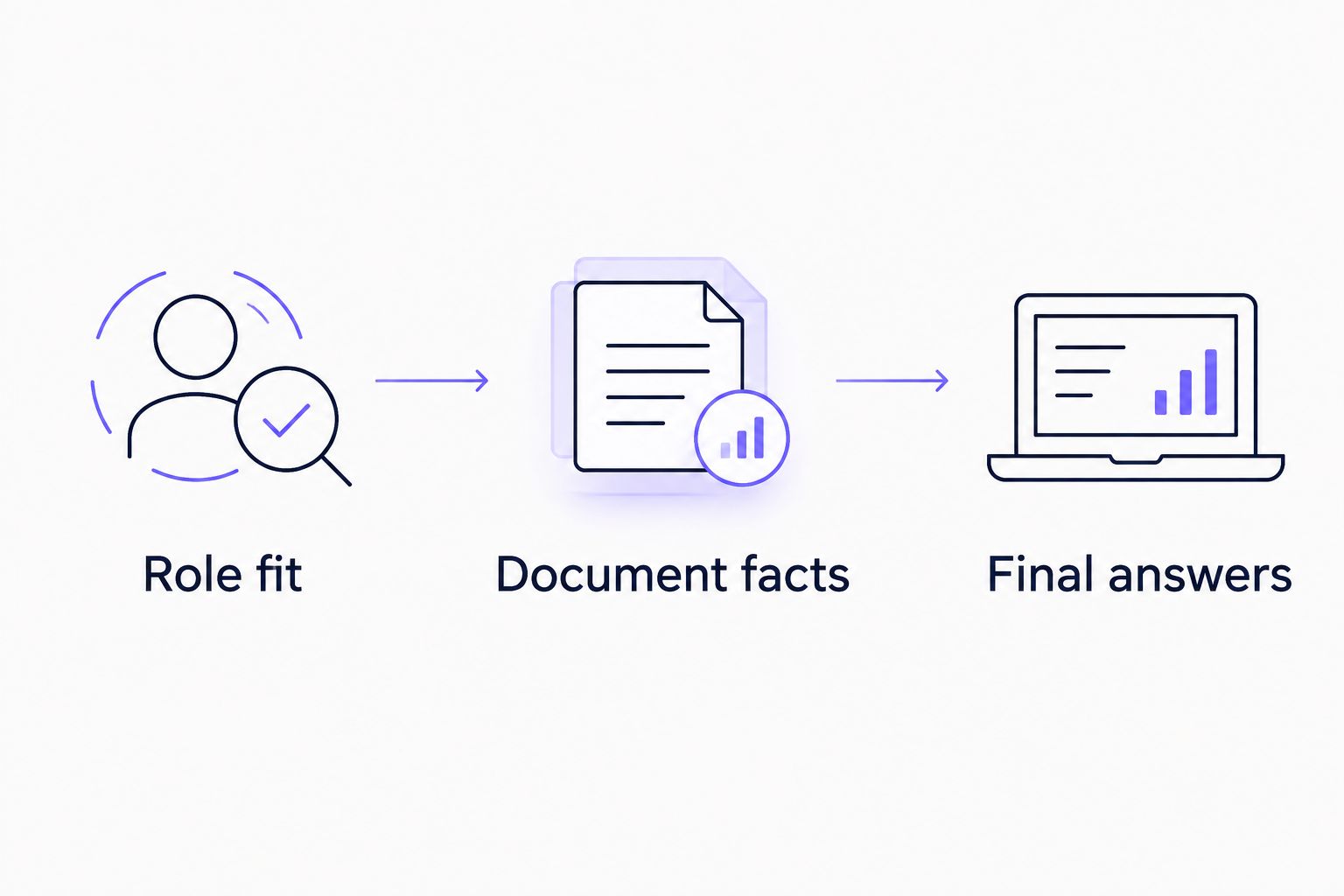
Use 3 review checkpoints per application: role fit, document facts, and final answers. These are procedural checks, not a scoring system or a promise of better hiring outcomes.
Role fit
Read the actual requirements before editing your résumé. Separate requirements you meet, preferences you meet, and conditions that rule the role out.
Check location, work arrangement, seniority, and work authorization explicitly. Do not let a strong skills match obscure a condition that makes the application unsuitable.
Document facts
Compare every changed claim with your source résumé or other records. Keep truthful improvements in clarity; remove additions that introduce experience you cannot substantiate.
Pay attention to verbs. Changing supported to owned, assisted to led, or contributed to delivered changes the claim even when no dates or numbers change.
Final answers
Read the application as the employer will receive it. Confirm that screening answers agree with your résumé and that uploaded documents belong to the correct role.
Approval is the last checkpoint, not the entire review process. Do not approve a draft solely because the wording sounds professional.
How this ranking works
This 2026 ranking uses the stated criteria: requirement fit, factual fidelity, source traceability, review control, and correction effort. It assigns each tool a distinct job rather than inventing a common accuracy percentage.
There is no measured winner here. A defensible accuracy comparison would need defined tasks, the same source materials, a clear definition of an error, and a documented evaluation method.
Read any accuracy claim with those conditions in mind. Ask whether it concerns job relevance, document truthfulness, extracted fields, or successful submission. Those are different outcomes and cannot be exchanged without explanation.
Which job search tool should you choose?
Amazapply is best for individual job seekers who want job matching and application preparation with personal approval. Choose that workflow when your main need is help preparing materials, not surrendering the final decision.
Choose LinkedIn Jobs when your immediate task is inspecting listings. Choose Teal when document and application organization is the bottleneck. Choose ChatGPT when you want to direct the writing task yourself.
For 2026, start with the problem you can describe precisely. Do you need a suitable opening, a clearer résumé, a better-organized search, or a checked application? Select for that task, then keep the review checkpoints unchanged.
FAQ
What's the most accurate AI job search tool in 2026?
This guide does not establish a measured accuracy winner. Choose a tool for the task you need, then verify listing requirements, document facts, and application answers separately.
Is job matching accuracy the same as résumé accuracy?
No. Job matching accuracy concerns whether a role fits your requirements; résumé accuracy concerns whether the document truthfully represents your experience.
Can an AI job search tool guarantee an interview?
No tool can promise an interview or an offer. Application preparation does not control an employer's eligibility checks, selection process, or hiring decision.
Is ChatGPT better than a job application agent?
ChatGPT fits instruction-led drafting, while a job application agent can combine matching and preparation. Choose according to the work you need completed, not an unsupported claim of higher accuracy.
Should I approve every prepared application myself?
Yes. Inspect the job requirements, final documents, and screening answers before approving an application; a polished draft can still contain a consequential error.
Does an ATS-friendly résumé mean the information is accurate?
No. Readable formatting and truthful content are separate checks, so verify your experience even when the document is formatted for an applicant tracking system.
What should I do when a tool adds a skill I don't have?
Remove the skill before submitting. Rewrite the statement around experience you can substantiate, and inspect nearby sentences for similar additions.
One last thing
A stronger verb can create a false claim without adding a single new fact or figure. Read résumé edits for changes in responsibility, not just invented credentials or metrics.
In your 2026 review routine, ask whether you could explain each sentence in an interview using a real example. If the answer is no, revise it before approval. Clear, supportable language is the standard; impressive wording is not.