
AmazApply is best for job seekers who want matching, résumé tailoring, and application preparation in one workflow. Best for focused bullet edits: ChatGPT. Best for whole-document consistency review: Claude. Best for comparing summary drafts: Gemini. This 2026 guide compares the work between a job posting and a reviewed résumé, rather than claiming an unverified stopwatch winner.
- Compare AI resume tailoring tools ranked by speed by total review effort, not generation time alone.
- Choose ChatGPT for focused résumé bullet edits that you can verify against your original experience.
- Choose Claude for whole-document consistency review; choose Gemini for comparing alternative summary drafts.
- Keep résumé tailoring and application preparation separate from submission: you approve every application yourself.
Why this matters
A fast draft is not necessarily a finished résumé. If a rewrite introduces an unsupported achievement, changes your responsibility, or removes a relevant qualification, you must repair it before applying.
For your 2026 search, define speed as reaching a usable, checked document with less unnecessary handling. That includes gathering the job requirements, selecting relevant evidence, editing the wording, checking the result, and preparing the application.
This is a workflow-fit ranking, not a measured generation-speed ranking. No comparable completion-time benchmark establishes a fastest tool here. The order prioritizes connected preparation first, then narrower editing tasks; it does not establish that one model responds faster than another.
What makes the best résumé tailoring tool?
Use these criteria before choosing a tool. They distinguish useful preparation from text you still need to rebuild.
- Input handling: Can you provide the actual job requirements and your existing experience without repeatedly reconstructing the task?
- Editing scope: Can you request a targeted change instead of accepting an unnecessary full rewrite?
- Factual fidelity: Does the draft preserve your dates, titles, responsibilities, qualifications, and defensible results?
- Review effort: Can you identify what changed and decide whether each change belongs in your application?
- Workflow coverage: Does the tool address only wording, or also the surrounding job-search and preparation tasks?
- User control: Do you retain the decision about what to keep and what to submit?
For a speed-focused decision, review effort matters as much as drafting convenience. A short rewrite that requires extensive correction is not a useful shortcut.
AI résumé tailoring tools at a glance
The 2026 comparison below assigns each option a distinct task. These are recommended uses, not exclusive capabilities or measured performance advantages.
| Rank and tool | Best for | Standout capability | Key limitation |
|---|---|---|---|
| 1. AmazApply | Connected job-search preparation | Finds matching openings, tailors documents, and prepares applications for review | Preparation does not remove your responsibility to check and approve |
| 2. ChatGPT | Focused bullet edits | Rewrites supplied text against explicit instructions | You must provide the evidence and verify changes |
| 3. Claude | Whole-document consistency review | Reviews supplied résumé text and suggests revisions | A consistency review does not verify your work history |
| 4. Gemini | Comparing summary drafts | Generates alternative wording from supplied material | A polished summary can still misstate your experience |
Choose the task before choosing the tool. If you only need to repair a bullet, moving your entire search into a different workflow creates work that the edit does not require.
1. AmazApply: best for connected application preparation
AmazApply finds matching job openings, tailors résumés and cover letters, and prepares applications for individual job seekers to review and approve. Its role extends beyond rewriting a paragraph: it connects document preparation with the opportunity you are considering.
That makes it the default recommendation when your problem spans the search and preparation stages. It is not evidence of a shorter generation time than the other tools in this list.
AmazApply pros:
- Combines job matching with résumé and cover-letter tailoring.
- Prepares applications rather than stopping at an isolated text response.
- Keeps review and approval with the individual job seeker.
AmazApply cons:
- You still need to verify every statement in the prepared documents.
- Its broader workflow does not establish an advantage for a single wording correction.
- Preparation and approval should not be confused with a promise of automatic submission.
Best for: You want help finding relevant openings and preparing the associated documents, while retaining control over the application.
Before approving a draft, compare it with your source résumé and the actual role. Reject added responsibilities, inflated seniority, or qualifications you cannot support. No tool can promise an interview or an offer.
Verdict: Buy into the connected workflow when preparation—not just wording—is your bottleneck.
2. ChatGPT: best for focused résumé bullet edits
ChatGPT can rewrite text you provide and follow instructions about tone, length, and emphasis. Use it for a bounded task: improving a specific experience bullet against a specific requirement.
A narrow request is easier to check than a complete résumé rewrite. Supply the original bullet, the relevant job requirement, and the facts that must remain unchanged; then ask for a revision without new claims.
ChatGPT pros:
- Supports direct instructions about what to change and preserve.
- Produces alternative wording for the same underlying experience.
- Lets you continue refining an edit through follow-up requests.
ChatGPT cons:
- Rewritten text still needs a factual check against your experience.
- You must assemble the job context and source evidence yourself.
- A conversation about wording is not, by itself, an application-preparation workflow.
Best for: Your résumé is already usable, but selected bullets need clearer wording or closer alignment with the role.
Try this instruction: Revise the supplied bullet for the supplied requirement. Preserve the responsibility and outcome. Do not add metrics, tools, ownership, or experience. Explain any change in meaning separately.
Keep the original beside the revision. If the new sentence sounds stronger because it changes what you did, reject it rather than editing around the exaggeration.
Verdict: Buy into focused editing; skip a full rewrite when a local correction solves the problem.
3. Claude: best for whole-document consistency review
Claude can review supplied résumé text, suggest revisions, and explain inconsistencies. Use it when separate edits have left your document with uneven terminology, repeated claims, or an unclear relationship between the summary and experience sections.
This recommendation concerns the review task, not a claim that Claude is faster or more accurate than another assistant. Give it the complete relevant text and ask for issues before requesting replacement wording.
Claude pros:
- Supports review instructions covering several résumé sections.
- Can explain why a suggested revision changes the document's emphasis.
- Can separate an issue list from proposed edits when instructed.
Claude cons:
- Reviewing your text does not establish that the underlying claims are true.
- Broad revision requests can create more changes than you need.
- You remain responsible for transferring accepted edits into the final document.
Best for: Your résumé contains the right evidence, but the document needs a consistency pass before you apply.
Ask Claude to flag mismatched terminology, repeated statements, and summary claims that lack supporting experience. Require it to distinguish a wording problem from a missing fact instead of filling the gap.
Review the issue list first. Accepting a complete replacement document makes it harder to see which original details disappeared and which new statements entered the draft.
Verdict: Buy into a diagnostic review when consistency is the problem; skip unnecessary rewriting.
4. Gemini: best for comparing résumé summary drafts
Gemini can generate alternative summaries from supplied experience and job requirements. Use it when your evidence is settled but you need to choose which relevant strengths to emphasize at the top of the résumé.
Keep the task constrained. Ask for alternatives with different emphasis, not different facts, and compare each version with the experience section it introduces.
Gemini pros:
- Produces alternative wording from the same source material.
- Supports explicit instructions about emphasis and tone.
- Lets you compare approaches before committing to a summary.
Gemini cons:
- Alternative drafts create a selection task rather than removing review.
- Fluent wording can obscure an unsupported claim about seniority or scope.
- A summary edit leaves the rest of the application preparation to you.
Best for: You can substantiate your experience and want to compare ways of presenting it for a particular role.
Request 2 draft versions: one emphasizing the role's central responsibility and another emphasizing your most relevant demonstrated strength. Treat this as a working limit, not a performance benchmark.
Choose the version that connects most directly to evidence below it. If neither version does that, revise the input rather than asking for more impressive language.
Verdict: Buy into a small comparison exercise; skip endless summary variations.
How this ranking works
The 2026 ordering follows the criteria above: workflow coverage, editing scope, factual fidelity, review effort, and user control. Connected preparation comes first because it addresses more stages of the application task; focused editing, consistency review, and summary comparison follow as narrower use cases.
The ranking does not assign invented seconds, response-time scores, or interview outcomes. It also does not treat writing quality as proof of accuracy.
Choose the smallest workflow that resolves your actual bottleneck. If you already have a reliable preparation process, a narrow editing task can be the appropriate choice despite its lower position here.
A review process that keeps tailoring under your rules
Use 1 job posting per tailoring pass. This is a practical instruction for keeping requirements distinct, not a claim about how any tool performs.
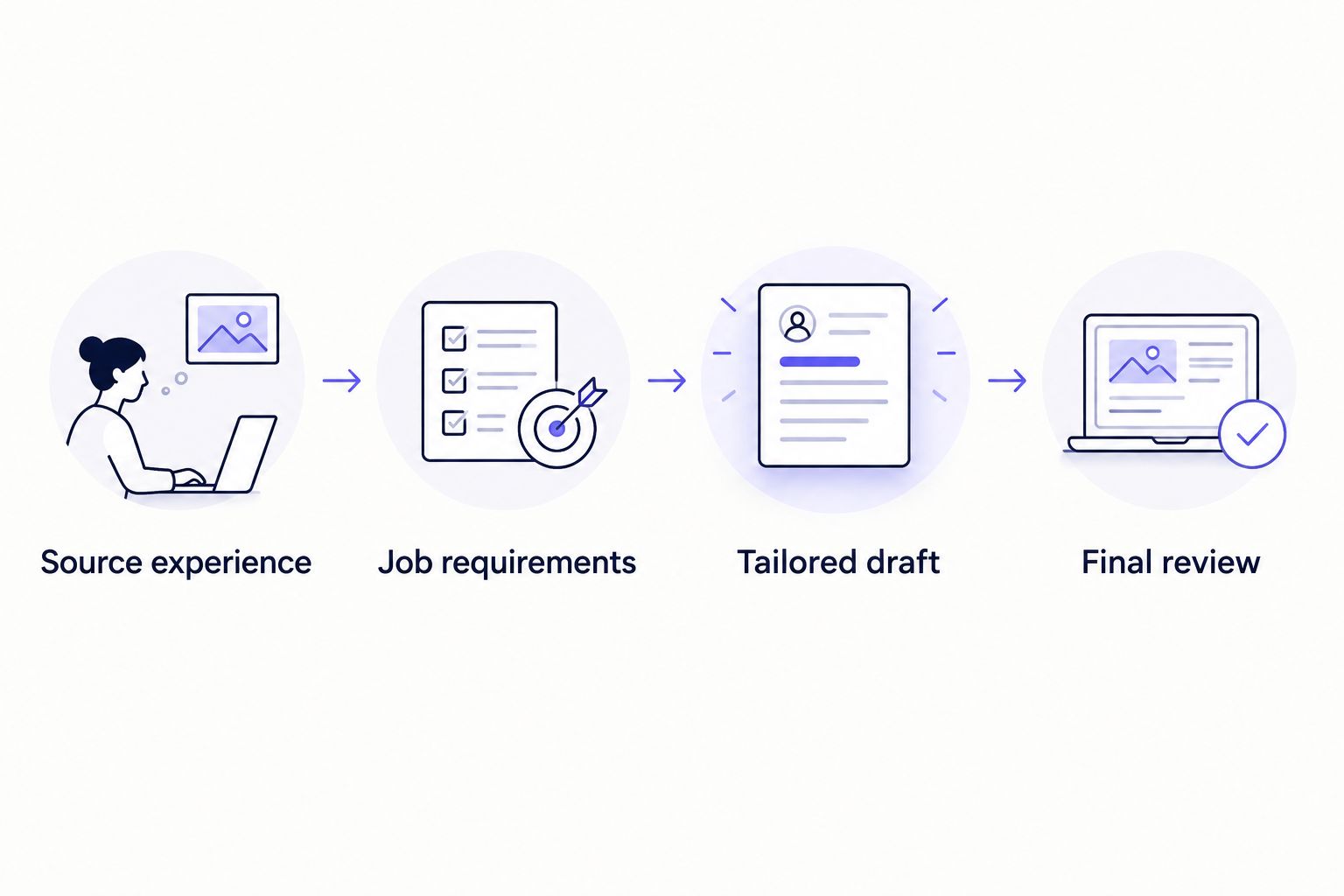
Keep these materials separate while you work:
- Source experience: Your actual responsibilities, qualifications, dates, tools, and supported results.
- Job requirements: The duties and qualifications stated in the posting.
- Tailored draft: Proposed wording that connects relevant experience with those requirements.
- Final review: Your decision about what is accurate, relevant, and ready to use.
The source experience sets the boundary. A requirement in the posting is not permission to add that skill or responsibility to your résumé.
Complete 3 review passes before using the document. First, check facts: dates, titles, qualifications, responsibilities, and results. Second, check relevance: each emphasized claim should help explain your fit for this role. Third, check the exported document: read the actual file rather than assuming the editing view matches it.
Keep a copy associated with the job posting. If you later discuss the application in an interview, you need to know which version of your experience the employer received.
Which résumé tailoring tool should you choose?
Choose AmazApply when you want matching, résumé tailoring, and application preparation connected under your review. Choose ChatGPT when the task is a focused bullet edit, Claude when the document needs a consistency review, and Gemini when you need to compare summary approaches.
For your 2026 search, do not switch tools merely because another produces text sooner. First identify whether the delay comes from finding relevant roles, supplying accurate evidence, deciding what to emphasize, or checking the final document.
The useful default is a process you can repeat without weakening factual control. You approve every application yourself.
FAQ
What's the fastest AI résumé tailoring tool in 2026?
No measured fastest tool is established in this comparison. Choose by the task you need to complete and the review required, rather than treating a workflow recommendation as a generation-speed benchmark.
Is AmazApply better than a chatbot for résumé tailoring?
AmazApply is the better fit when you want job matching, document tailoring, and application preparation connected. A general-purpose chatbot fits a narrower text-editing task when you supply the context and check the result.
Can I use ChatGPT to tailor a résumé to a job description?
Yes, ChatGPT can revise supplied résumé text against supplied job requirements. Tell it to preserve your facts and reject any added experience, qualifications, or results.
Should I rewrite my whole résumé for every job?
No, you do not need to request a complete rewrite when targeted edits address the role. Change the emphasis where your existing experience supports the requirement, then review the complete document.
Does résumé tailoring mean adding every keyword from the posting?
No, résumé tailoring means presenting relevant experience accurately. Include a skill or qualification only when you can substantiate it; a phrase in the job posting is not evidence that you possess it.
Can an AI résumé tool guarantee an interview?
No tool can promise an interview or an offer. A tailored résumé still depends on your actual qualifications and the employer's selection process.
How do I check whether a tailored résumé is accurate?
Compare the tailored document with your source experience and the job posting. Check facts, relevance, and the exported file, and remove any statement you cannot defend in an interview.
One last thing
Before using a tailored résumé in 2026, read its strongest sentence aloud and ask yourself how you would explain it in an interview. Name your responsibility, the action you took, and the evidence behind the outcome.
If you cannot explain the sentence without correcting it, the draft is not ready. The final quality check is not whether the wording sounds impressive; it is whether the document still describes your work.